
7 Steps to Achieve Photorealism in Your 3D Renders - Renderly Guide

Updated: Jun 9, 2025
Photorealistic Rendering is our main speciality at Renderly. I have always been fascinated by the concept. This style of work is what sparked my interest and began my journey in 3D rendering. Being able to render 3D in a way that makes the viewer have trouble telling the difference between a photograph and a render requires careful attention to detail, great knowledge of lighting in your chosen software and lots of other little bits of information. If you wish to enhance the photorealism in your 3d renders, the following are some essential steps to help you create stunning and realistic 3d renderings. If you are not happy with the photorealism of your renders, I can almost guarantee you are failing on one or more of these steps!
1. Check the quality of your 3D models
The first step is to check the 3d models you are using, it doesn't matter how much you work on the lighting or materials if there are issues with the models you are falling at the first hurdle. Here are the main points...

Subdivision modelling, rather than low-poly shortcuts, should be used for smoother surfaces, ensure that the circular sections of your model are clean and do not have jagged edges.
Apply a bevel to your edges to ensure lines aren't completely straight, this is especially an issue on the edges where walls meet.
The 3d models should have high quality and clean topology (this means the faces or the geometry are mostly evenly spaced with a good structure and no ngons)
If you are using CAD files, use a quality software such as Moi 3d to convert the files to polygonal models with clean topology.
Check that the normals on your model are facing the right way, this can cause shading issues later.
2. Use High-Quality Textures
It's really important to use high quality textures that match real life materials, a low res texture is an immediate giveaway that an image is a rendering.

Utilize high-resolution PBR (Physically Based Rendering) textures.
Incorporate normal, bump, and displacement maps to create realistic surface details.
Avoid repeating patterns by using UV mapping and procedural textures to break uniformity.
You can find great free textures online either for free or with a premium subscription to one of the many fantastic online asset libraries such as... https://www.poliigon.com/
3. Don't rush the lighting set up
Lighting is the most common issue when it comes to a lack of photorealism in 3d renders. It's likely the hardest issue to fix because it requires a good eye for quality lighting, this might take some time to develop for some artists.
If you are stuck try research either real images or photorealistic renders you would like to re-create and take notice of the way they have the lighting set up. What do the shadows look like? How much contrast is there in the lighting, can you identify the lighting sources and directions?

Utilise HDRI maps for realistic environment lighting
Apply global illumination and ambient occlusion to create soft, realistic shadows and depth.
Experiment with different light sources and adjust intensity, colour, and falloff.
Set up multiple lighting combinations with different lamp types and directions, export test renders and compare them with each-other.
4.Optimise render settings
Rendering engines like V-Ray, Arnold, and Blender's Cycles offer a variety of settings for photorealistic rendering. Here are a few ones to look out for...

Increased sample rates reduce blurring and create a cleaner and higher quality output.
Turn on ray tracing or path tracing for accurate reflections and shadows.
Adjust light bounces for realistic indirect illumination.
Use denoising sparingly—overuse can make images too smooth and some level of grain can help photorealism.
5.Camera Settings
Treat your virtual camera as if it were a real camera, one completely overlooked setting is focal length, for product visualization and macro shots, where there is a focus to the image, we recommend a longer focal length. If you are doing a landscape shot or an interior visualization, where the whole scene is important we recommend a lower focal length.
Adjust focal length and aperture values to create realistic-looking viewpoints.
Depth of field can help to achieve realistic lens blur and guide the viewer's gaze to the subject of the render.
Apply chromatic aberration and lens distortion to mimic real camera properties (use sparingly as this can easily be overdone).
6.Add Imperfections
It can be really beneficial to add some imperfections to your 3d scene, In the real-world nothing is perfect and it's these imperfections in renders that make them feel authentic.
You can also imagine the story behind your render and adjust the contents of your scene to help paint this. Try the following techniques
Important Caveat: If you're working on professional marketing or advertising projects, be cautious with imperfections. Clients may prefer a flawless look to ensure the product appears pristine. This technique is best suited for game environments, cinematic renderings, and artistic works where realism and story telling takes precedence.
Add material imperfections such as fingerprints, dust, dirt, and smudges.
Use ambient occlusion to enhance depth and realism, especially in crevices and corners.
Adjust your scene to include small out-of-place objects or slight disorder, such as a crooked book on a shelf or a slightly wrinkled fabric.
Add subtle wear and tear to surfaces to make them look used and lived-in.

7.Post Processing for Photorealism
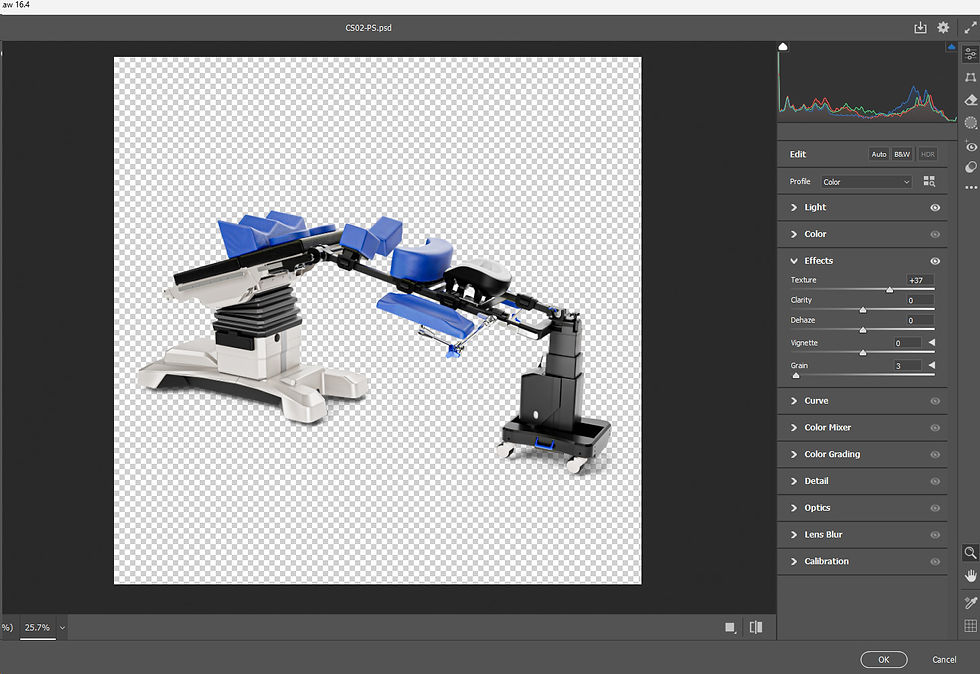
The final touch is some post production, for some renders this section is almost essential and takes the image from good to amazing. We have a particular process for post production on our product visualizations which we can share another day, for now you can use software such as Adobe Photoshop, Adobe Lightroom, or Davinci Resolve to incorporate the following techniques...
Colour Grading: this can be one of the most effective ways to achieve photorealism, this is a technique used mostly in cinematic pieces.
Add subtle film grain and slight vignetting.
Adjust exposure, contrast, and white balance to match real-world images and create some tension or heighten the mood of the render.
We love photorealism and it's the only style we create our renders and animations in, We would love to see your creations, tag us in your work via our socials below. I hope these tips will help you in the future! Instagram - https://www.instagram.com/renderlyuk/
Behance - https://www.behance.net/renderlyuk

If you are interested in learning more about 3d check out our zero to hero course which covers photorealistic 3d rendering.


Achieving photorealism in 3D renders really elevates your digital projects, giving them a tangible, lifelike presence. I’ve experimented with different lighting and texturing techniques, and the impact on the final visual quality is amazing. For those looking to take things further, platforms like https://www.gambody.com/ offer detailed 3D models that you can print yourself, bridging the gap between digital rendering and physical creation. Bringing your photorealistic designs to life via 3D printing adds a whole new layer of satisfaction and creativity. It’s exciting to see how virtual designs can translate into real-world objects.