

Croix
Case Study
Client
Using CGI to go beyond!
The product Croix asked us to help create an animation for is a filtered showerhead, the product comes in two variations. We were tasked with finding a way to show the internals of the product using a cutaway technique and then displaying the filtering process
Particle and Water Simulation
This project was particularly complex as it involved both particle and water simulation. The water sim was completed in houdini and then exported into Blender. The particle sim was completed inside blender, we had to set up the particles to follow the path of the pipes but also set up a seperate simulation for when they get slowed down by the filter media. There are 2 versions of the particle objects, one to display chlorine and the other for lead.
We had to play around with invisible collision objects inside the showerhead to make the particles slow down and stick the way we wanted!

The water spray effect is created using geometry nodes in Blender, each spray module is an individual curve which has its own seed, this means we can have varying levels of distortion on each curve so a pattern cannot be noticed. The curves are keyframed to spurt out at the right time, due to the geo node set up the initial spurt caused some scaling issues meaning we had to keyframe each frame to adjust the scale to fit until the water spray was in full motion, then it wasn't required.

Cut away effect
When creating the cutaway effect we experimented with a lot of options, including
- material node set up that used a gradient texture
- material node set up that used a camera light path set up
- booleans
Initially we tried a material set up because it would be easier on the performance of the scene, we set up both gradient textures and light paths versions to try to get the object to be cut away when facing the camera, this worked however the client wanted a different look. The issue with this method was that it would cut away the object in a direct line, which meant that it would not fill in holes where it had been cut, this meant there was a heavy amount of layering which caused a lot of visual noise.
We ended up trying booleans, this was much more effective at creating the visual style the client wanted but it took a lot longer and had its own issues, booleans can work well with simple objects but using them on complex objects like this can be tricky, we ended up separating many parts of the product each with their own boolean object to control the timing and position of each section (6 in total), this meant we could stagger the cut away effects as we animated the booleans location and rotation to slowly reveal the product.
We had to patch up some artifacts and areas of complete darkness with some interior lights and magic!

Inside the product
For the interior parts of the animation we took the project into seperate blender files, for better performance and organisation. Inside these scenes we have the initial water splash which is from the water simulation which was created in Houdini.

The chlorine and lead particles in the interior scene are manually animated, this is because there is much less of them and manually keyframing them allowed for more direct control over where they start and finish.

The water particles in the interior scene are created with a particle emiiter inside blender, the objects is a ico sphere which has some variation to it, we then applied motion blur in the settings to mask the exact shape of the ico sphere so they appear elongated and blurred.
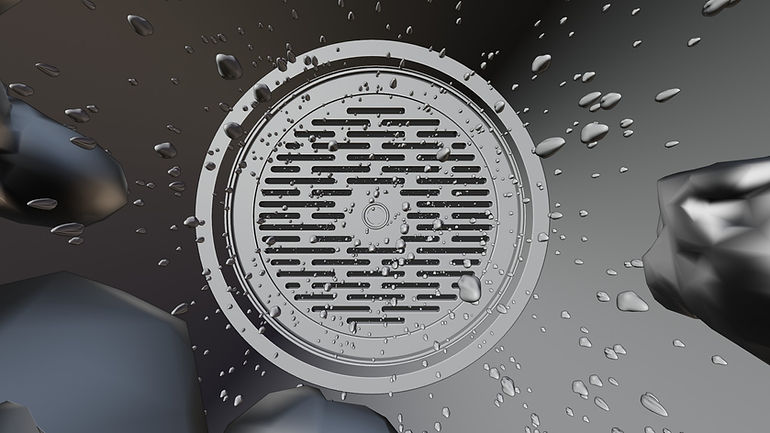
The filter stones themselves are actually just 3-5 variations of stones, then we used geometry nodes to repeat them using instances in a container.

More Case Studies


